STYLE.md ·
How Console works. Every rule, written down.
Software as a service, as a website. It has four pieces:
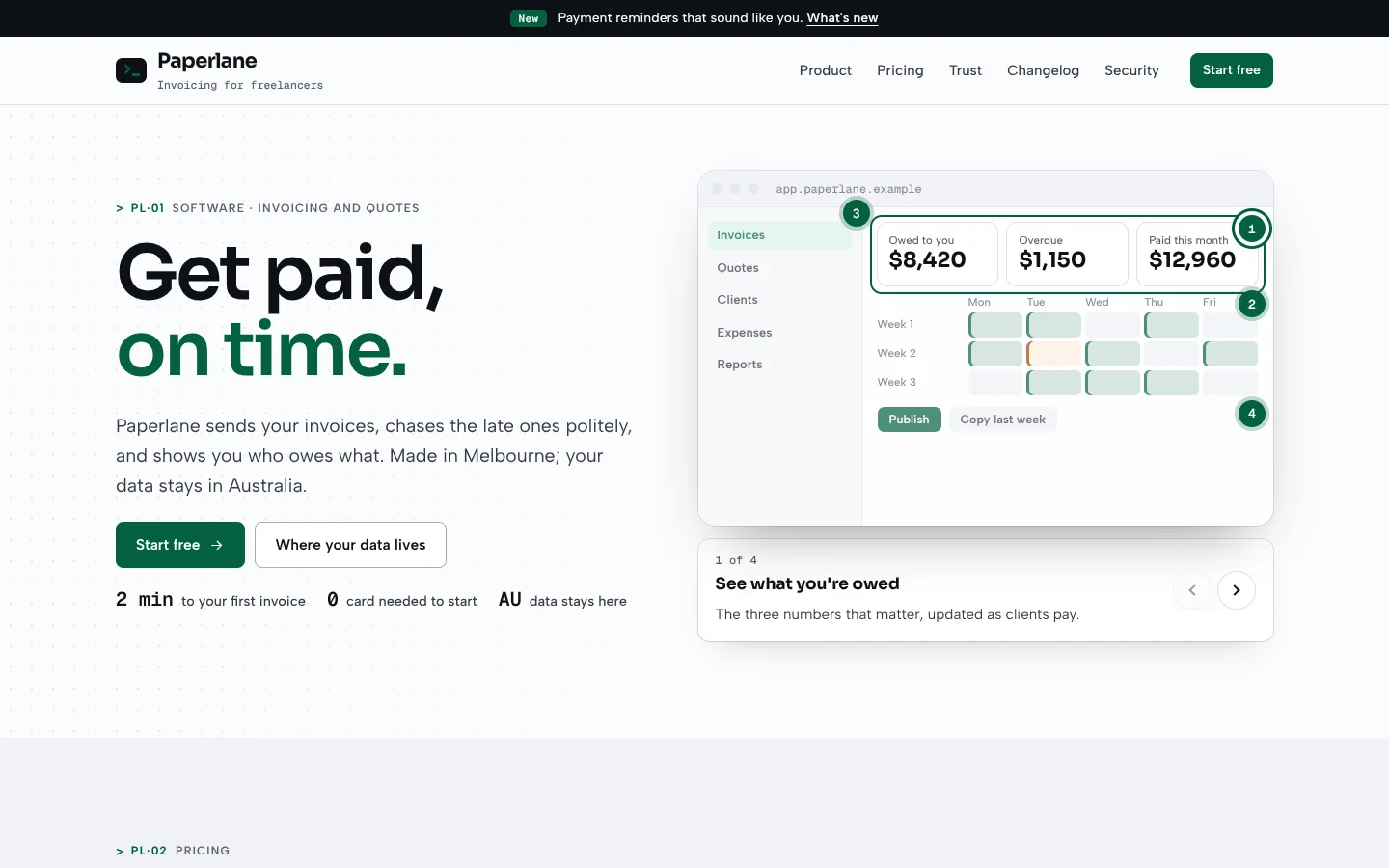
- A product tour. An app window with numbered hotspots. Step through them, and a focus ring moves to what each one explains.
- A pricing calculator. Choose how many people and monthly or yearly. Every plan shows the real total including GST, the minimum, and when a plan doesn't fit.
- A status strip. 90 days of uptime, one bar a day per service. Hover a day to see what happened, and every incident is listed in words.
- A data location card. Where your data is stored, and every provider that touches it, with the ones outside Australia marked.
The type is Sora, Albert Sans and Geist Mono, on cool white with ink and one emerald. Amber is only for degraded service, and red only for outages.
Clear · trustworthy · quick
Best for
- Software products and apps. Invoicing, booking, rostering, job management, any business software sold by subscription. It's written to the privacy, spam and subscription rules (see "Software: what we build in").
- Anyone selling a tool by the seat:
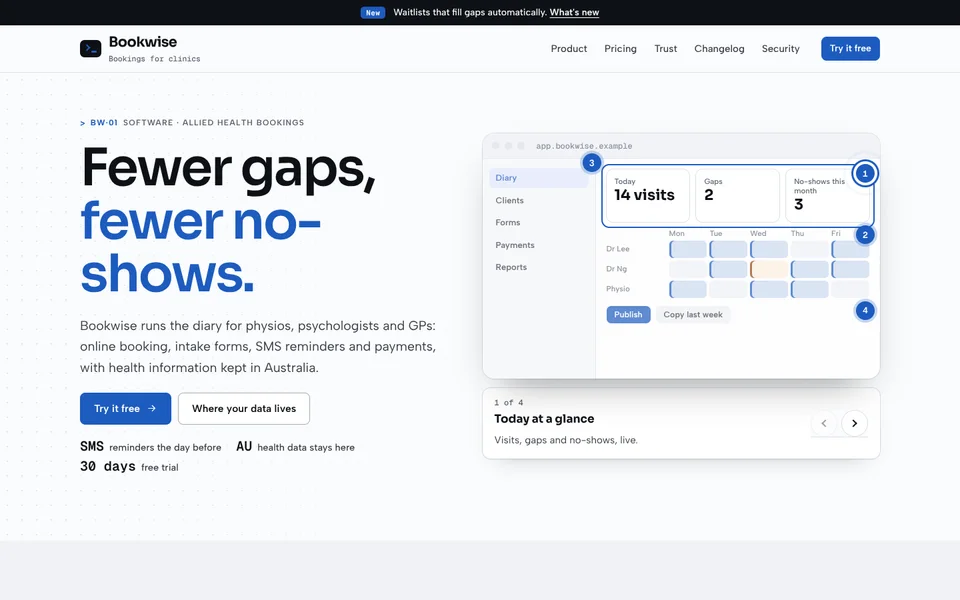
- allied health booking software (Bookwise: health data kept in Australia)
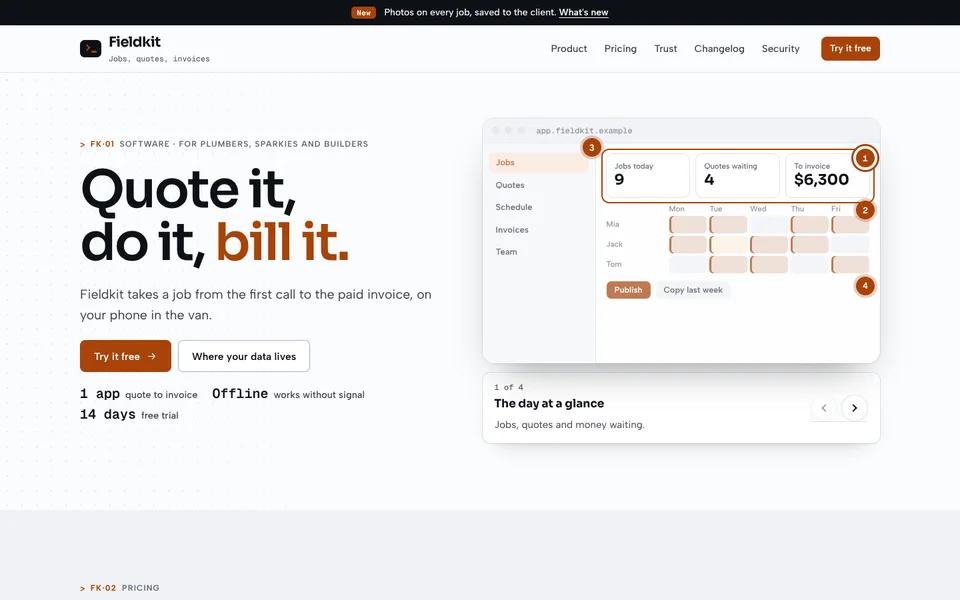
- trades job management (Fieldkit: offline, per person on the tools)
- internal tools, APIs and developer products, IT services with a client portal
- Audiences: owners comparing tools, who want to see it work, know the real price and know where their data goes.
Less suited to: a consumer app store page, an agency portfolio (Atelier), or a not-for-profit (a cause style).
Personality and voice
Clear and quick, like good documentation, with nothing hidden in the pricing.
- Headlines: "Get paid, on time." · "Pay for what you use." · "Your data, at home."
- Buttons: "Start free" · "Start my free trial" · "Where your data lives"
- Microcopy:
- "$75 a month for 5 people, billed monthly. Includes GST."
- "12 days ago: slow invoice sending for 18 minutes"
- "Send me a monthly tips email. (Optional; unsubscribe anytime.)"
- Words to avoid: "military-grade", "bank-level", "100% secure", "contact us for pricing" when you have prices, and pre-ticked marketing boxes.
Colour
| Token | Light mode | Dark mode | Role |
|---|---|---|---|
--paper |
#fafbfc |
#0b0e13 |
Page |
--card |
#ffffff |
#141821 |
Cards, the calculator, status |
--well |
#f0f2f5 |
#10141b |
Alternate sections |
--line |
#dde1e8 |
#262c38 |
Hairlines |
--ink / --ink-2 |
#0e1116 / #363c47 |
#eef1f6 / #cfd5df |
Text |
--muted |
#5a6170 |
#98a1b2 |
Meta, labels |
--go |
#03623f |
#5ee0ad |
The one accent: buttons, links, hotspots, uptime that's fine |
--warn |
#9a4508 |
#f6b26b |
Degraded service, clashes, data outside Australia |
--down |
#b42318 |
#ff8b80 |
Outages and invalid fields only |
--app / --app-bar |
#ffffff / #eef1f5 |
#141821 / #1b202b |
The app window in the tour |
Measured contrast (WCAG).
- Light mode:
- ink on paper 18.3:1
- muted on paper 6.0:1
- go on paper 7.2:1 (6.6:1 on well, 6.4:1 on its soft fill), white on go 7.4:1
- warn on paper 6.3:1 (5.8:1 on its soft fill)
- down on paper 6.4:1
- Dark mode:
- ink 17.1:1
- muted 7.4:1 (6.8:1 on card)
- go 11.7:1, text on go 9.2:1, go on its soft fill 9.7:1
- Example dials: clinic blue (Bookwise), hi-vis orange (Fieldkit) and grape purple (Rostery) all meet AA.
Typography
- Display: Sora, 500–800. Headlines, plan names, prices, numbers in the app window.
- Body: Albert Sans, 400–700. Reading, forms, buttons.
- Mono: Geist Mono, 400–600. Labels, dates, seat counts, uptime, locations.
| Token | Size | Use |
|---|---|---|
--fs-h1 |
clamp(40px, 5.4vw, 80px) | Page headline |
--fs-h2 |
clamp(30px, 3.4vw, 50px) | Section headline |
--fs-h3 |
21px | Card titles |
--fs-lead |
clamp(17.5px, 1.35vw, 20.5px) | Intro paragraphs |
--fs-body |
16.5px | Body |
The signature move: the lit words turn emerald with a blinking cursor after them, as if they were just typed.
Layout
- Frame: a 1200px wrap with a
max(20px, 4vw)gutter. An ink top line with an emerald pill for the latest release; a sticky header with the prompt mark. - Hero: copy on the left; the product tour on the right.
- Then: the pricing calculator; trust (data location and status); the changelog with its filter; security in plain words; and an ink closing card with a command line typing in the corner.
Shape
- Rounded:
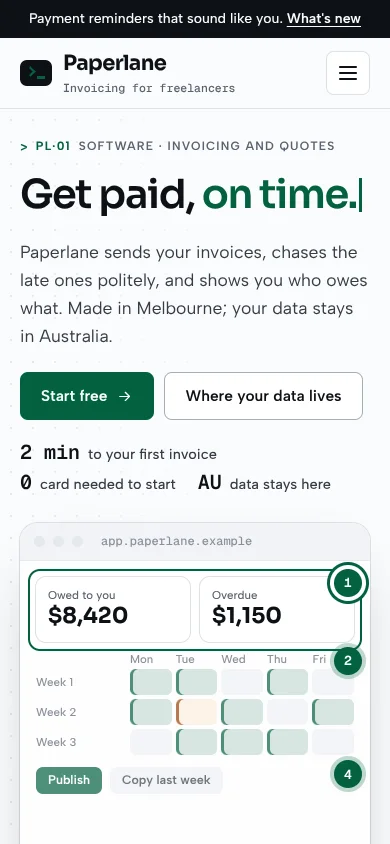
--r-s8px,--r-m12px,--r-l18px. - The app window: a title bar with three dots and the app's address, a sidebar, KPI tiles, and a grid; hotspots are numbered circles that ping when they're current.
- The mark: a terminal prompt (a chevron and a cursor) on ink.
Motion language
- Tour: the focus ring glides to each step's target, the current hotspot pings, and the step card swaps.
- Pricing: the price ticks when the seats or billing change.
- Status: the location pin pings; bars brighten on hover.
- Elsewhere: the headline cursor blinks, the closing command types itself, sections reveal with a 14px rise over 650ms, and the phone menu drops in.
- Motion switch in the footer (
[data-motion-toggle],html.calm, remembered assite-motion, with the default fromprefers-reduced-motion). Calm stops the glide, pings, blink and typing. - Dark mode switch (
[data-theme-toggle]), remembered assite-theme;theme-colorfollows.
Imagery and illustration
The product is the picture: the app window is drawn in HTML, so it scales and themes. In a real build, use real screenshots or a recorded walkthrough with captions. Don't use invented customer logos, testimonials or usage numbers.
Signature components
- Tour:
.tour[data-tour], containing:.appwinwith.appbar,.appbody(.appnav,.appmain) and.focus-ringbutton.hot[data-target][data-title][data-text], where the target is a selector inside the window.tour-cardwith[data-tour-count],[data-tour-title],[data-tour-text]andbutton[data-tour-step="-1"|"1"]
- Pricing:
.pricer[data-pricer][data-unit][data-units][data-free-months], containing:.pricer-barwith[data-seats-out],input[data-seats],button[data-seat-step]and.switch[data-yearly].tiers > .tier, each withdata-per-seat,data-base,data-minanddata-max, holding.price b,.totaland.over
- Status:
.status[data-status]with.svcrows (.svc-name, and.bars > i.wori.dwithdata-tip),.legend,[data-bar-tip]and the incident list. - Data location:
.datahomewith.where(.pin-map,b,p) andtable.subs(td.loc.osmarks data handled outside Australia). - Changelog:
.changelog#changelog > article.chg[data-tags], each withtime,b > .kind.new|.improved|.fixedandp; filtered by the kit's.seg[data-filter="#changelog"]. - Supporting pieces:
.card,.facts,.notice,.side-box,.table,.faq,.close-card(--close-em).
Multi-page kit
- Phone menu:
.menu-btn[aria-controls]opens.site-menu. Escape, an outside click or choosing a link closes it, and Tab stays inside while it's open. - Current page:
aria-current="page", shown as a go-soft pill. - Inner pages:
.page-head(a faint grid on the right),.crumbs, a.tagand a smaller.h1. - Fields:
.field,.fields,.field-wide,fieldset.field-set,.check,.form-card,[aria-invalid="true"](in red);form[data-template]. - Tiles, segmented control, gate, slider, switch, tables:
.choices,.seg,[data-gate],input.range,.switch[role=switch],.table. - Events:
tour(step, title),price(seats, yearly). - Helper:
Console.refresh(root).
Software: what we build in
We checked these for Australian software companies in October 2026:
- Say where personal information goes. Under Australian Privacy Principle 8, before disclosing personal information overseas you must take reasonable steps so the recipient handles it in line with the APPs, and your privacy policy should say which countries. The data location card lists every provider, what it does and where, with anything outside Australia marked.
- Consent for marketing email. Under the Spam Act, commercial emails need consent, must identify the sender, and must include a working unsubscribe. The sign-up's marketing box is optional and unticked, and the footer says so.
- Breaches. The security section commits to the Notifiable Data Breaches scheme in plain words.
- Subscription terms. Totals including GST, what renews and when, trial reminders, and online cancelling (the 2026 subscription-trap reforms; check the final law and start date).
These notes are design guidance, not legal advice.
Do and don't
- Do show the price for the customer's own team size, including GST.
- Do list every provider that handles customer data, and where.
- Do publish incidents in words, not just green bars.
- Don't pre-tick marketing consent.
- Don't claim "100% uptime" or "unhackable".
- Don't use amber or red for decoration.
Accessibility
- AA contrast throughout (measured above), a skip link and a 3px focus ring.
- Tour: hotspots are labelled buttons ("Step 2: Spot what's late"); the step card is announced; arrow keys move between steps; the app window itself is decorative.
- Pricing: labelled seat input with +/− buttons, the yearly switch is a real switch, and the count is announced.
- Status: bars are decorative (
aria-hidden); the uptime figures and incidents are text. - Forms: labelled fields, a password strength meter announced politely, errors listed in an alert and marked on the field.
- Testing: responsive to 360px, and tested with motion on and off, in light and dark.
How to make it yours
| Dial | Range |
|---|---|
| Accent | Emerald (default), clinic blue (Bookwise), hi-vis orange (Fieldkit), grape purple (Rostery). Set --go, --go-2, --go-soft, --focus (plus --on-go at night) and --close-em. |
| Tour | Your app's screens and the steps that matter. |
| Pricing | Per seat, a base fee per account, minimums and maximums, and free months for yearly. |
| Trust | Your hosting region, sub-processors, and live status from your status provider. |
| Not negotiable | The real total with GST, every sub-processor listed, incidents in words, unticked marketing consent, and the Motion switch. |